The official WhatsApp API for Shopify, on your own number
Whapi, a Shopify app for WhatsApp automation, connects your store to Meta’s WhatsApp Cloud API, the official WhatsApp Business Platform. You keep your own number and WhatsApp Business account, Meta bills message fees to you directly and Whapi adds no markup. Plans are a flat $18.99 or $45 a month.
Used by 5,000+ merchantsRated 5 stars by 39 merchants7-day free trialBuilt for Shopify
The short answer
- Whapi sends every message through Meta’s WhatsApp Cloud API, the official WhatsApp Business Platform, from your own WhatsApp Business number.
- You connect through Meta’s signup in about 5 minutes, and the number and account stay in your own Meta business portfolio.
- Meta charges per delivered message by category and country and bills you directly. Whapi adds no markup and charges a flat plan price: $18.99/month for Pro, $45/month for Team.
- Tools that automate WhatsApp Web or the regular app break WhatsApp’s Terms of Service, which forbid bulk messaging and auto-messaging.
What “official WhatsApp API” means
An official WhatsApp API connection runs on Meta’s WhatsApp Business Platform. Today that means the Cloud API, because the final version of Meta’s older On-Premises API expired on October 23, 2025. Unofficial tools instead drive WhatsApp Web or the phone app with scripts, which WhatsApp’s Terms of Service forbid.
| Official API through Whapi | Unofficial WhatsApp Web automation | |
|---|---|---|
| How it connects | Meta’s Cloud API, after you approve access in Meta’s signup | Scripts or browser automation on WhatsApp Web or the phone app |
| Allowed by WhatsApp | Yes, under Meta’s WhatsApp Business Platform terms and Business Messaging Policy | No. The Terms of Service forbid bulk messaging and auto-messaging |
| If rules are broken | Meta can limit or ban a number that breaks its policies | WhatsApp can disable or suspend the account |
| Template messages with buttons | Yes, reviewed by Meta | No, templates are a Business Platform feature |
| Delivery status | Sent, delivered and read status from Meta | Depends on the tool |
| Message fees | Meta’s per-message rates, billed to you by Meta | No Meta fees, but the account is at risk |
You own the number, the WhatsApp account and the billing
You connect your own WhatsApp Business account inside your own Meta business portfolio, or link the number you already use in the WhatsApp Business App through coexistence. Meta bills message fees to that account.
Connect to the official WhatsApp API in about 5 minutes
Every step happens in Meta’s own signup window, opened from Whapi. The full walkthrough with screenshots is in the Whapi setup guide.
- 1
Install Whapi and click Connect WhatsApp
Open Whapi in your Shopify admin on a desktop browser with popups allowed. Meta’s signup opens in a popup. - 2
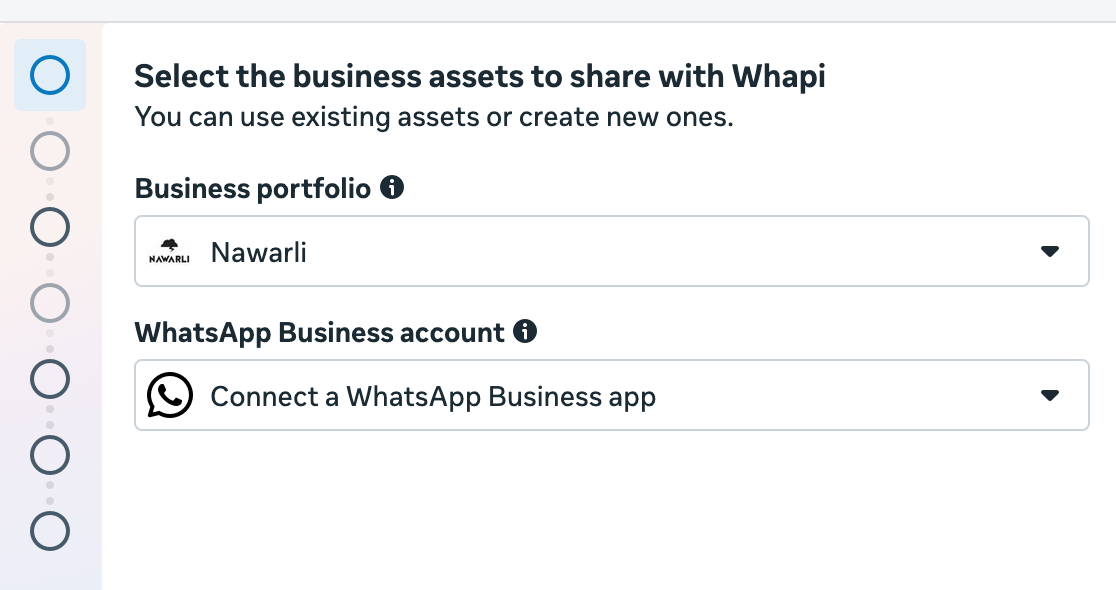
Choose your Meta business and WhatsApp account
Pick your business portfolio and WhatsApp Business account, or choose “Connect a WhatsApp Business app” to keep using the app on your phone with WhatsApp coexistence. - 3
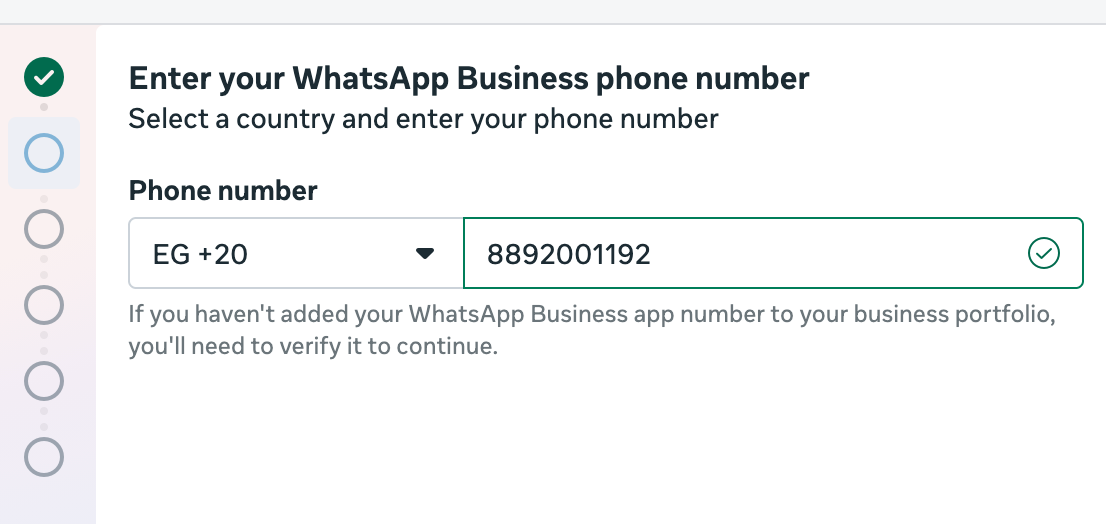
Enter and verify your number
Select the country code and enter your WhatsApp Business number. Meta asks you to verify it if it isn’t in your business portfolio yet. - 4
Approve access and add a payment method
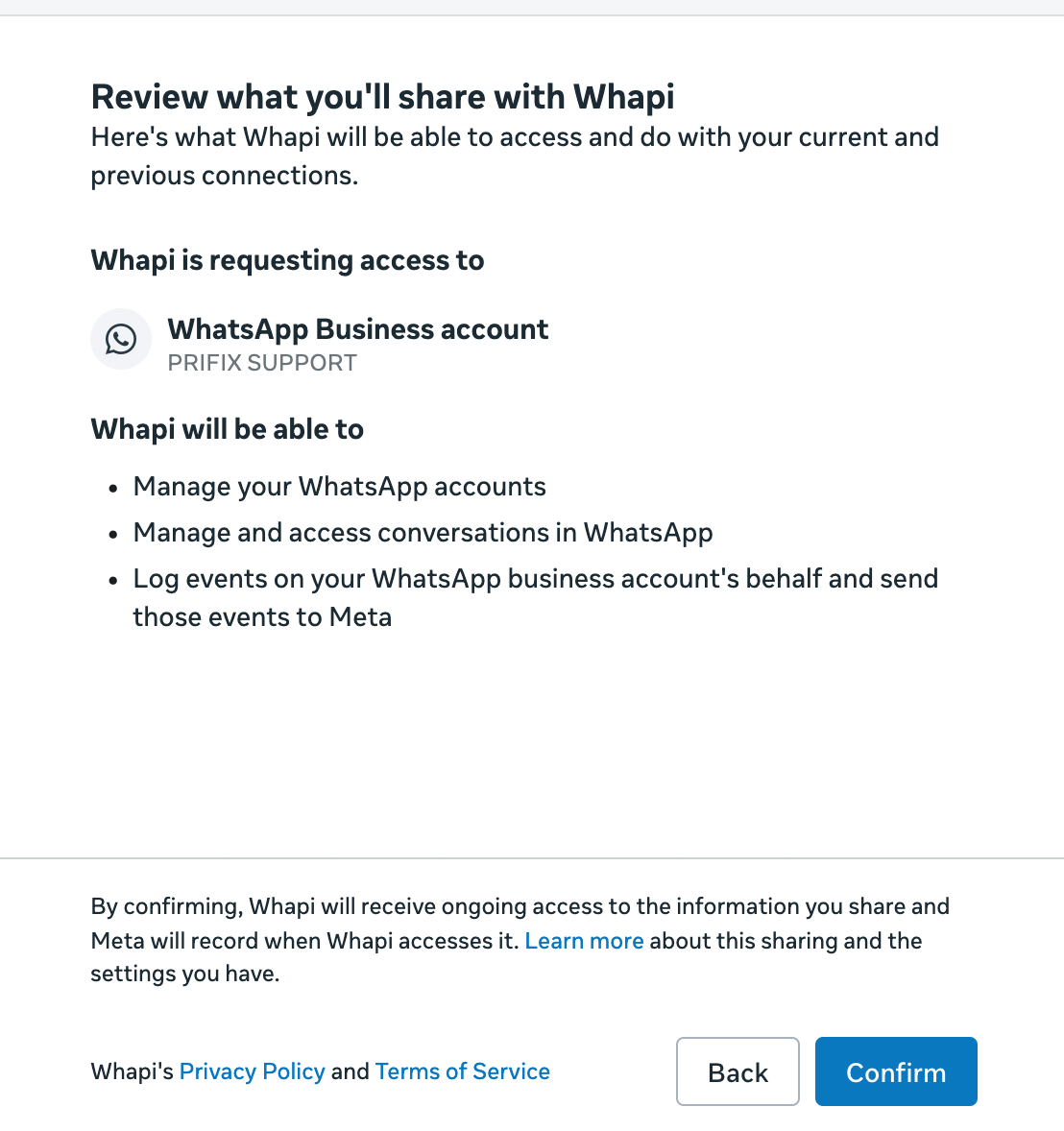
Confirm what Whapi can access, then add a card in Meta’s Billing Hub so Meta can bill your messages. See how to add a Meta payment method.
Is the official WhatsApp API free?
Not entirely: Meta charges for each message you send that is delivered, and messages customers send you are free. Template messages are priced by category (Marketing, Utility or Authentication) and by the country code of the customer’s number. Since October 1, 2026, service replies are free for the first 1,000 per number each month and charged after that.
An order confirmation to a customer in the United Kingdom, which Meta usually categorizes as Utility, costs $0.0220 at Meta’s USD list rate, or £0.0159 on Meta’s GBP rate card. Rates for every country are on WhatsApp API pricing.
| Customer’s country | Marketing, per message | Utility, per message |
|---|---|---|
| Germany | $0.1365 | $0.0550 |
| United Kingdom | $0.0635 | $0.0220 |
| France | $0.0859 | $0.0300 |
| United States and Canada (North America) | $0.0250 | $0.0034 |
| Brazil | $0.0625 | $0.0068 |
| Mexico | $0.0397 | $0.0085 |
| United Arab Emirates | $0.0576 | $0.0157 |
| Saudi Arabia | $0.0576 | $0.0107 |
| Pakistan | $0.0473 | $0.0150 |
| South Africa | $0.0379 | $0.0095 |
Do you need a WhatsApp Business API provider?
Yes, unless you write your own software. The Cloud API is an interface for developers, so a Shopify store needs an app that turns orders, checkouts and fulfillments into messages. Providers differ in how they bill messages: Whapi passes Meta’s rates through with no markup, while some platforms bill messages at their own per-message rates.
Shopify events as triggers
New orders, abandoned checkouts, fulfillments and restocks start messages without any code.
Order tags from replies
Customer button taps tag the Shopify order, for example Confirmed or Cancelled.
Templates with Shopify variables
Insert the customer’s name, order number, items and total, with a live preview before Meta reviews it.
Template status from Meta
See each template’s approval status, Meta category and quality next to its results.
A shared inbox
On Team, unlimited agents answer the same number in the WhatsApp team inbox.
Built for Shopify
Whapi carries Shopify’s Built for Shopify badge for performance, design and integration.
Messaging limits, quality and ban risk
Meta caps how many different customers your business can reach with template messages in a moving 24-hour period, and the cap is shared by every number in your business portfolio. It rises as you verify your business and keep quality high. Read how Meta business verification works.
The official API lowers ban risk but doesn’t remove it. If many people block or report your messages, Meta can restrict how much a number sends (error 131048) or pause a low-quality template (error 132015). The WhatsApp troubleshooting guide covers the fixes.
| Messaging limit | Different customers per moving 24 hours | How you reach it |
|---|---|---|
| Starting level | 250 | Every new business portfolio |
| 2,000 | 2,000 | Verify your business, or deliver 2,000 messages outside service windows in 30 days with high-quality templates. Meta then reviews message quality |
| 10,000 | 10,000 | Automatic: send high-quality messages and use at least half your current limit in the last 7 days. Meta raises the limit one level within 6 hours |
| 100,000 | 100,000 | Automatic, same conditions |
| Unlimited | No cap | Automatic, same conditions |
What stores say about Whapi and the WhatsApp API
Rated 5 stars by 39 merchants on the Shopify App Store.
Fast and easy. Good for simple automation and cart recovery. I was looking for a way to mass communicate to my audience without losing the personal touch and Whapi was a simple and great way to do that! …
CaliChimps
Singapore · Shopify App Store review
One of the best applications for WhatsApp Business API. their team responds quickly and efficiently resolves any issues you face
Borsa - #1 Travel Bags Store In Pakistan
Pakistan · Shopify App Store review
great customer support
Kopac
Romania · Shopify App Store review
Official WhatsApp API questions
What is the official WhatsApp API?
The official WhatsApp API is Meta’s WhatsApp Business Platform. Businesses use its Cloud API to send and receive WhatsApp messages from software, with template messages that Meta reviews. The final version of the older On-Premises API expired on October 23, 2025, so the Cloud API is now the official way in. Whapi connects your Shopify store to it.
Is the official WhatsApp API free?
Not entirely. Meta charges per delivered message: template messages by category and by the customer’s country, for example $0.0550 for a utility message and $0.1365 for a marketing message in Germany, and service replies after the first 1,000 free per number each month. Messages customers send you are free. Rates are from Meta’s card effective October 1, 2026.
Will my WhatsApp number get banned if I use Whapi?
The risk is lower than with unofficial tools. Whapi uses Meta’s official WhatsApp Cloud API, so your number isn’t banned for using automation. Meta can still limit or ban numbers that break WhatsApp Business policies, for example by messaging people who never opted in or by sending messages that many people block or report. Keep messages expected and relevant, and watch your quality status in WhatsApp Manager.
Can I keep using the WhatsApp Business App on my phone?
Yes, with coexistence. If your number is already on the WhatsApp Business App, you choose “Connect a WhatsApp Business app” during setup and keep chatting from your phone while Whapi sends automations through the Cloud API. Meta syncs up to 6 months of chat history, disables broadcast lists in the app and limits coexistence numbers to 20 messages per second.
Who owns the WhatsApp number and account?
You do. During setup you choose your own Meta business portfolio and WhatsApp Business account, and Meta’s screen lists what Whapi can access before you confirm: managing your WhatsApp accounts, managing and accessing conversations, and logging events for Meta. Meta bills message fees to your own account.
Do I need Meta business verification?
Not to start. Without it, a new business portfolio can message 250 different customers with templates in a moving 24-hour period. Verifying your business is one way to raise that limit to 2,000 and beyond, so stores that send order confirmations or campaigns at volume should verify early.
Does Whapi add a markup to Meta’s WhatsApp fees?
No. Meta bills message fees to your own account at its published rates, and Whapi charges only its plan price: Pro at $18.99 per month or Team at $45 per month, with a 7-day free trial.
How long does it take to connect to the official WhatsApp API?
Connecting your number through Meta’s signup in Whapi takes about 5 minutes on a desktop browser with popups allowed. Meta then reviews each new message template automatically, which can take up to 24 hours, before that template can be sent.
Sources
- Meta: About the WhatsApp Business Platform (checked October 20, 2026)
- Meta: On-Premises API sunset (checked October 20, 2026)
- Meta: WhatsApp Business Platform pricing and rate cards (checked October 20, 2026)
- Meta: Messaging limits (checked October 20, 2026)
- Meta: Onboard WhatsApp Business app users (coexistence) (checked October 20, 2026)
- Meta: WhatsApp Cloud API error codes (checked October 20, 2026)
- WhatsApp Terms of Service (acceptable use) (checked October 20, 2026)
- WhatsApp Business Messaging Policy (checked October 20, 2026)
Keep reading
- ProductWhatsApp Coexistence (2026): Setup, Pricing & LimitsUse the WhatsApp Business App and the WhatsApp API on the same number. How coexistence works, what it costs, its limits, and how to set it up.Read
- PricingWhatsApp API Pricing 2026: Per-Message Rates by CountryMeta's WhatsApp Business API rates per message for marketing, utility and authentication templates, by country, plus what changed in 2026.Read
- HelpAdd a Payment Method for WhatsApp in Meta (Error 131042)Messages failing with error 131042? Add or fix the payment method on your WhatsApp Business account in Meta, step by step, with card tips.Read
- HelpMeta Business Verification for WhatsApp: Steps & TipsWhen WhatsApp needs Meta business verification, which documents Meta accepts, how long it takes and what to do if verification is rejected.Read
Connect your number to the official WhatsApp API.
Install Whapi from the Shopify App Store and connect your WhatsApp Business number through Meta’s signup in about 5 minutes. You pay Meta directly, with no markup, and every plan starts with a 7-day free trial.